Figures, prices and terms were checked against Okiraku Home Wi-Fi official terms on 18 October 2026. They change — check the current terms yourself before you sign up or file anything.
In short
- Home internet comes in three types: fibre, a home router (no installation) and a pocket Wi-Fi.
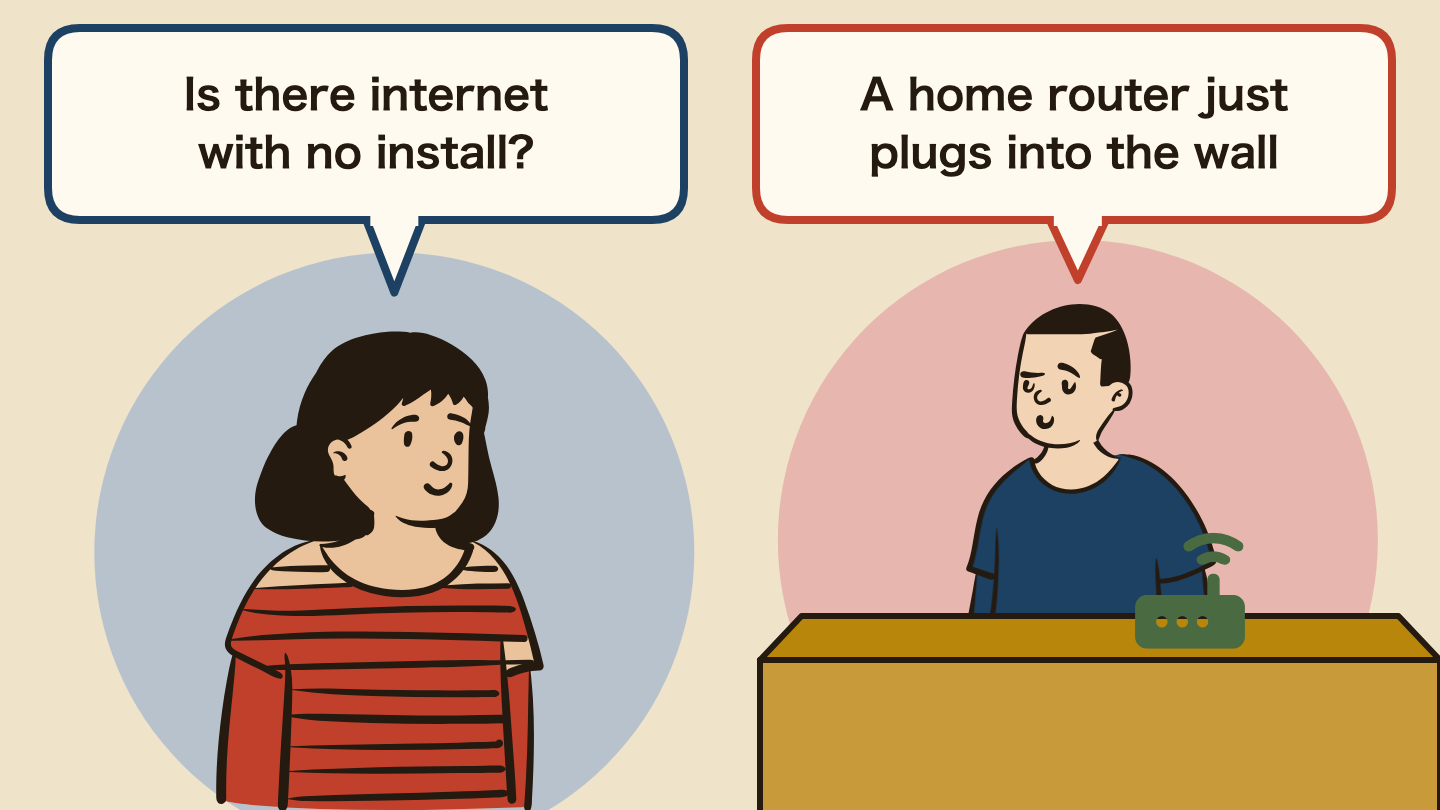
- For most foreigners and students, a home router is the realistic choice. It plugs into an outlet, needs no installation and works the same day.
- Okiraku Home Wi-Fi, which needs no installation, costs from 4,290 yen a month (2-year plan) or 4,620 yen (no contract). The router is rented free, so there is no leftover device debt if you stop early. There is also a one-time 3,300 yen set-up fee (official terms, checked 18 October 2026).
- Payment is by a Japan-issued credit card only (no debit, prepaid or foreign-issued cards; official terms). No card yet? Read how foreigners get a credit card first.
- Return the router before you leave Japan. If you do not, they charge you 32,780 yen for the router plus 3,300 for the SIM, 4,400 for the AC adapter and 1,650 for the Ethernet cable — 42,130 yen in total.
- Staying 2+ years, a big family or working from home? Then fibre (but it can take weeks to more than a month to connect).
- Living alone and using little data? An unlimited phone SIM with tethering may be enough.
Knowing this, you can have internet at home this week without waiting for a construction appointment – and you know which contract you can walk away from.
This article contains affiliate links.
Last updated: 18 October 2026 (prices include tax)
- Living on phone data alone runs out at the end of the month
- Why fibre is the wrong first choice for most newcomers
- The three options compared
- Why a rented router beats a bought one
- Which one is right for you?
- How to sign up
- Common traps
- Frequently asked questions
- Summary: if unsure, a home router with no installation
- Related guides
Living on phone data alone runs out at the end of the month
Without internet at home, this is what happens:
- Your data runs out near the end of the month and your speed drops. Video and maps slow down
- Video calls with family freeze. You cannot see your family back home
- Online procedures become shaky. Using money transfer, visa or banking apps on public Wi-Fi without security measures can let others snoop on your connection
- You cannot study or work from home. Online classes and remote work need a stable connection
“My phone is enough,” you may think. But the longer you live in Japan, the more you need stable internet at home.
Why fibre is the wrong first choice for most newcomers
You sign up for fibre on the day you move in and expect to be online within a few days. Where you come from, that may be about how long it takes. In Japan, fibre needs an installation appointment, and it can take weeks to more than a month to connect, with no internet at home until then.
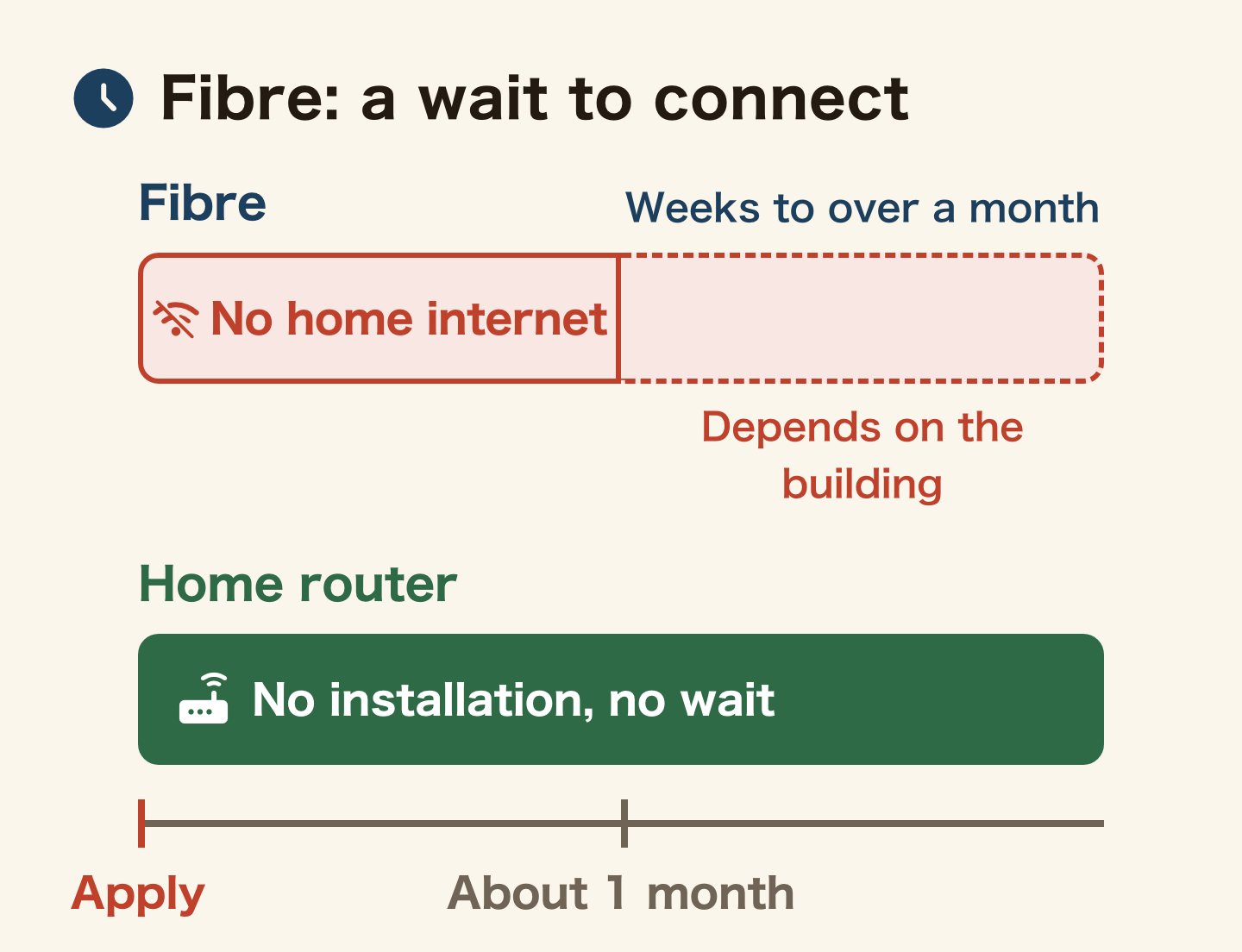
Fibre optic internet (光回線 / hikari kaisen) is fast and cheap, and it’s what locals pick. But it comes with friction that hits newcomers hard:
- It can take weeks to more than a month to connect: you need an installation appointment, and the time depends on the building’s equipment – no internet until then
- 2-year contracts that may charge a cancellation fee if you move or leave Japan
- Installation needs the landlord’s permission – often refused in rentals
- Removal fees may be charged when you move out
If you move often, don’t know how long you’ll stay, or need internet now, fibre is too heavy. The practical answer is a home router – no installation required.
The three options compared
| Type | Monthly (incl. tax) | Installation | Ready in | Speed | Portable |
|---|---|---|---|---|---|
| Fibre | ¥4,000-6,000 | Required | Weeks to 1+ month | ◎ fastest | No |
| Home router | ¥4,290-4,950 | None | Same day-days | ○ video OK | Home use |
| Pocket Wi-Fi | ¥3,000-4,000 | None | Same day-days | ○ | ◎ yes |
| Phone tethering | SIM cost only | None | Now | △ depends | ◎ |
On speed and monthly price alone, fibre wins. But once you count the installation wait and the contract lock-in, a home router is easier to handle if you don’t know how long you’ll stay. Which is cheaper for you depends on how many years you live here.
Why a rented router beats a bought one
Choose a router you rent, not one you buy. The clearest example is Okiraku Home Wi-Fi. It plugs into a power socket and creates Wi-Fi – no cables, no engineer, no landlord permission – and the router itself is rented to you for free.
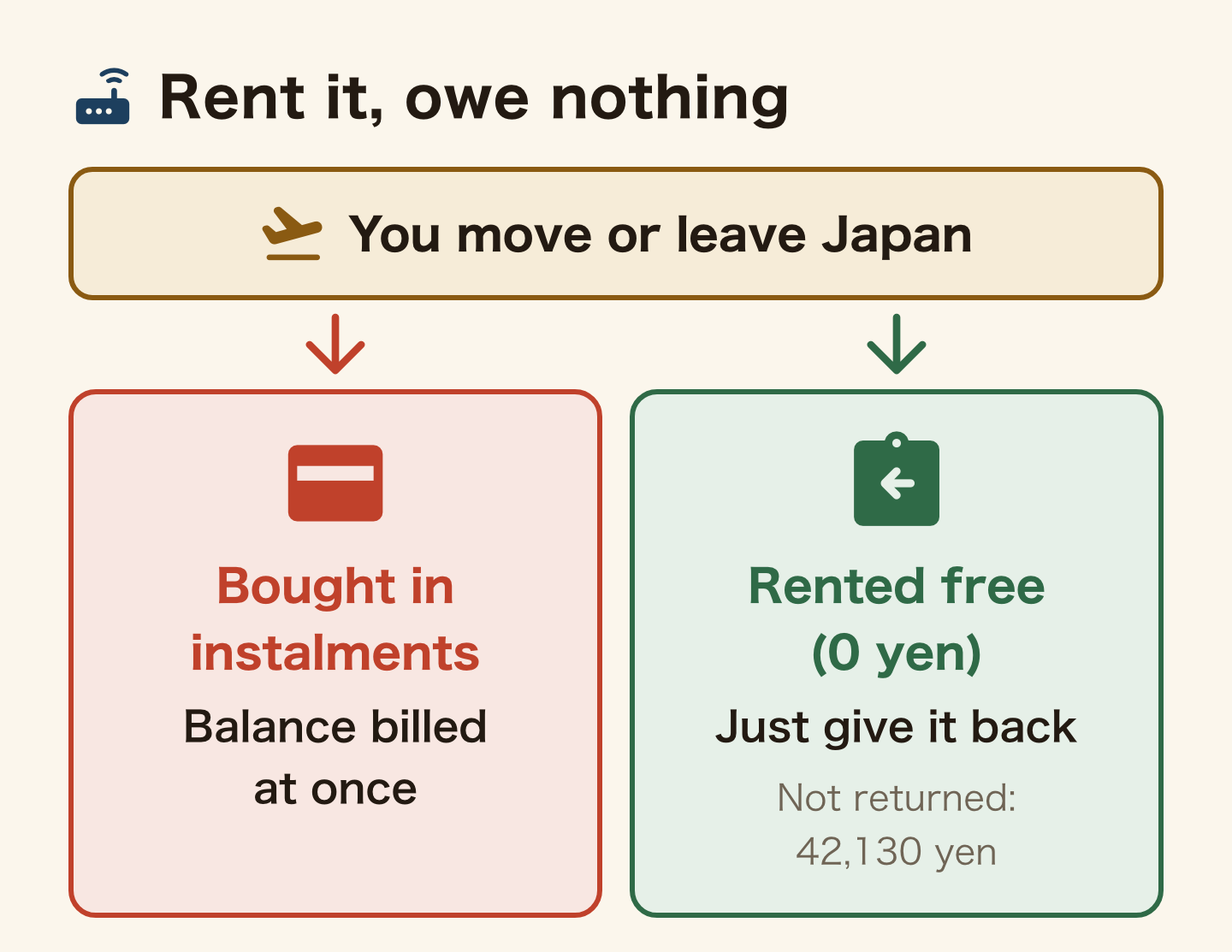
Why does renting matter so much? If you buy the device in monthly instalments and then move away or go home, you can be billed for the whole remaining device balance at once. When you only rent it, you simply give it back. For anyone whose time in Japan is uncertain, that difference is the whole decision.
- No installation – plug it in and use it the day it arrives; no landlord permission even in a rental
- Unlimited data – video and family calls work fine. The official terms call the data “unlimited”, but speed may be limited if you use a very large amount
- The router is a free rental at 0 yen. You never buy it, so there is no leftover balance. You just give it back when you leave Japan
- A no-contract plan – no cancellation fee when you move or leave Japan. The cheaper 2-year plan charges one month’s fee if you cancel within 24 months
- A 3,300 yen set-up fee is charged once at the start (check the latest terms on the sign-up page)
There are also three downsides:
- It uses wireless signal, so it is less stable than fibre. In weak-signal areas or deep inside buildings it can slow down. If online meetings are your job or you play large online games, waiting for fibre is worth it
- Payment is by a Japan-issued credit card only (no debit, prepaid or foreign-issued cards; official terms). No card? Get one first, then apply
- The router is rented, so you must return it. If you do not return it when you cancel or leave Japan, they charge you 32,780 yen for the router plus 3,300 for the SIM, 4,400 for the AC adapter and 1,650 for the Ethernet cable – 42,130 yen in total (official terms). Return it before you leave

Staying in Japan 2+ years? Tokutoku BB Home Wi-Fi is worth a look too
Okiraku keeps you light by renting the router for free, but you have to return it when you leave. Tokutoku BB Home Wi-Fi pays for the router in installments instead, so once you finish paying it off, the router is yours – no return needed. A better fit if you plan to stay long-term and are not planning to move again soon.
- No cancellation fee even on the 2-year plan
- Same as Okiraku on unlimited data and zero installation work
- Credit card payment only
- Caveat: the router is paid off in installments. Cancel before it is fully paid and the remaining balance is billed at once. If you might leave Japan within a couple of years, Okiraku (a free rental) is the safer choice
See Tokutoku BB Home Wi-Fi (long-term option, Japanese site)

Which one is right for you?
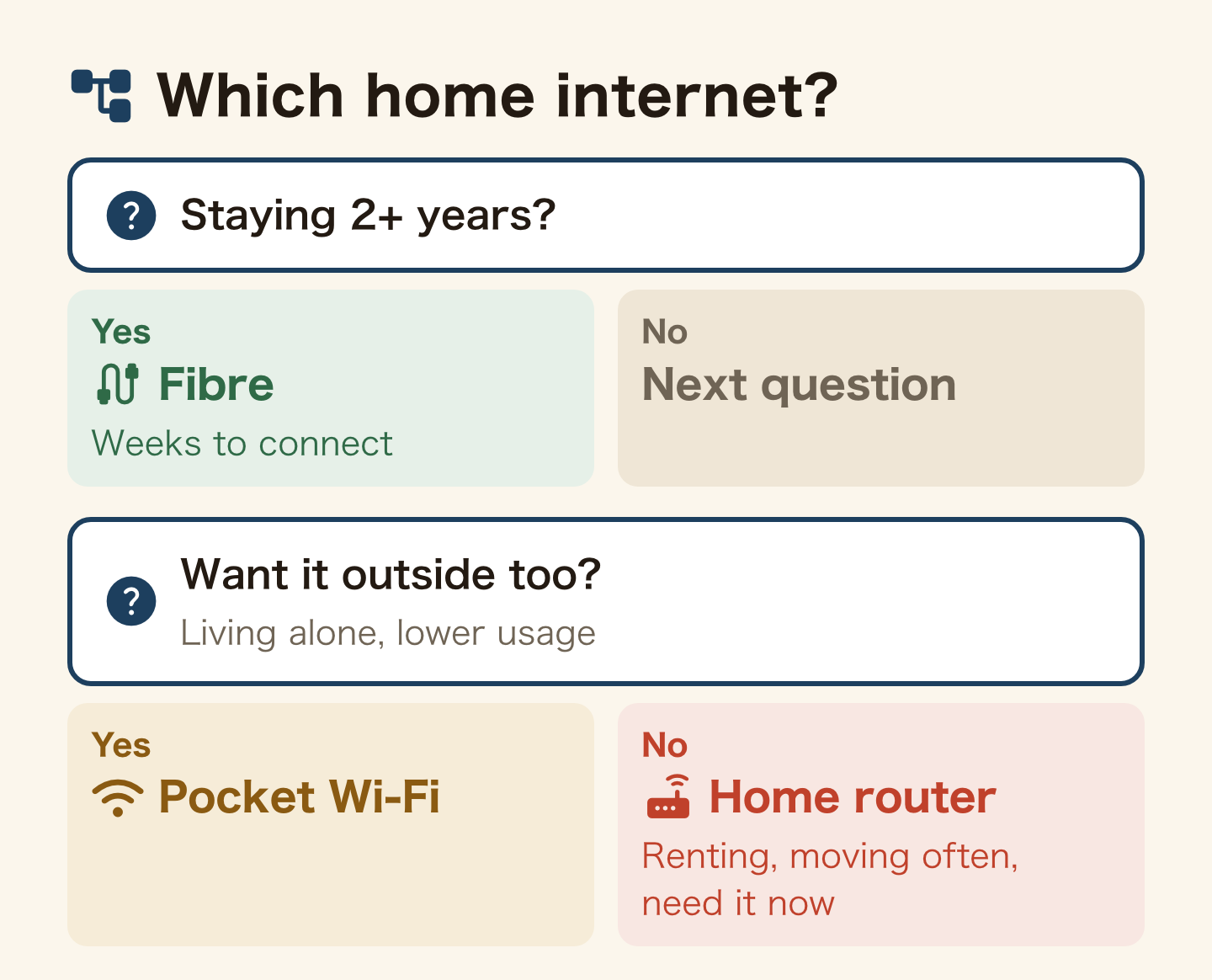
Choosing only because it is cheap leads to regret. Choose by where you live and how long you will stay.
| Your situation | Best choice | Why |
|---|---|---|
| Staying 2+ years, family at home, work from home | Fibre | Wins on speed and monthly price. Worth the installation wait |
| Renting, moving often, unsure how long you’ll stay, need it now | Home router | No installation, no lock-in, easy to leave. Suits people who don’t know how long they’ll stay |
| Want it outside too, living alone, lower usage | Pocket Wi-Fi | Portable. One device covers home and outside |
| Barely use internet at home, want to save | Phone tethering | With an unlimited SIM, no extra contract at all |
| Waiting for fibre, just arrived, need it for a few weeks | Rented Wi-Fi | You borrow it for a set period instead of signing a contract. A good stopgap |
If you live alone and use little data, you may not need home internet at all – Rakuten Mobile’s unlimited plan with tethering can be enough. Check your phone plan first.
While you wait for fibre, or for your first few weeks in Japan, you can rent a Wi-Fi router for use in Japan (Wifi Rental-ya-san, Japanese site with an English page) . You show an ID such as your passport when you pick it up. Check the price and rental period on their site before you book.
How to sign up
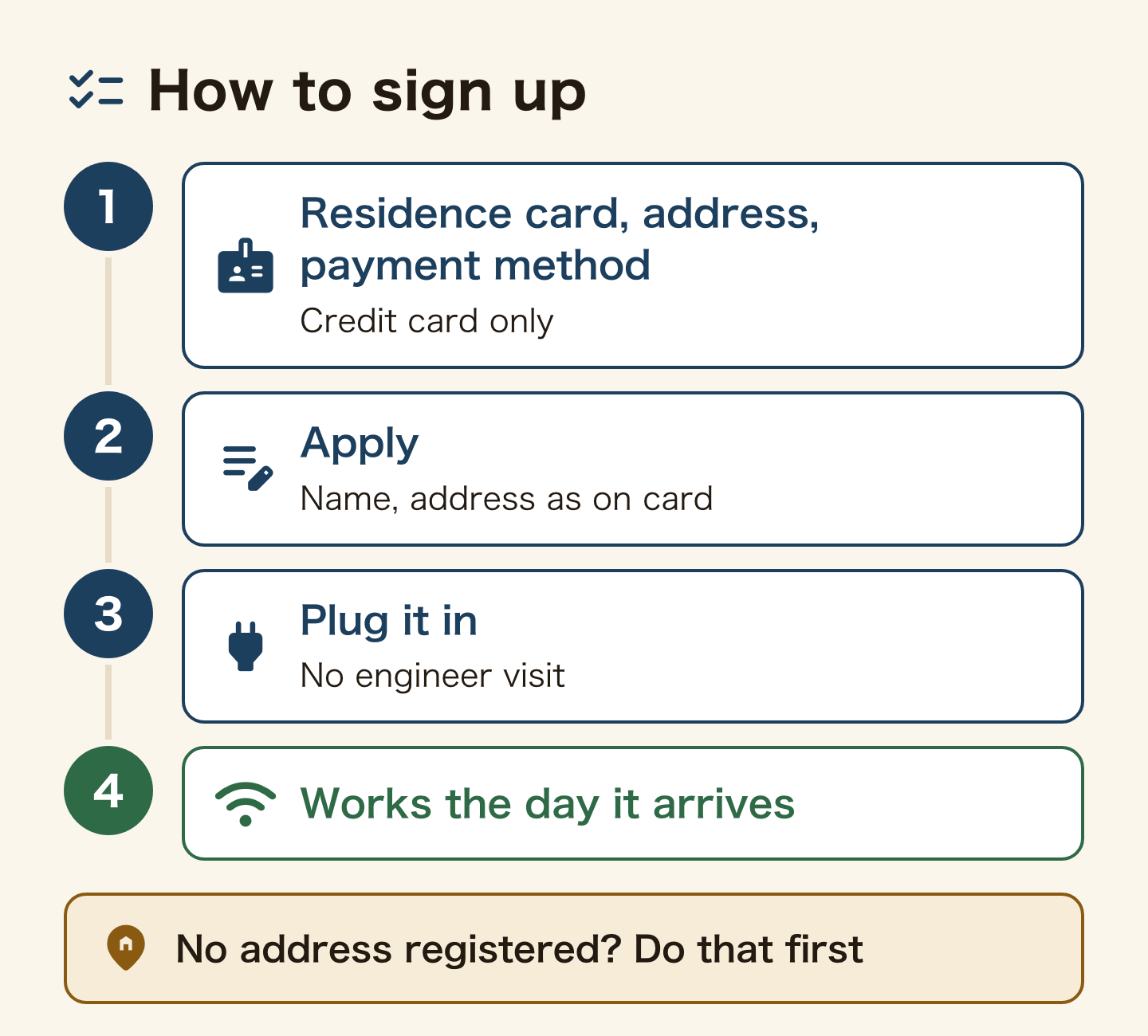
You need almost the same things as a SIM: your residence card, a Japanese address, and a payment method. Enter your name exactly as written on your residence card (if it does not match, your application can be held up). If you haven’t registered your address yet, do residence registration first.
Want something portable? A pocket-type router is another option.
Common traps
1. Signing up for fibre in a hurry and living without internet while you wait
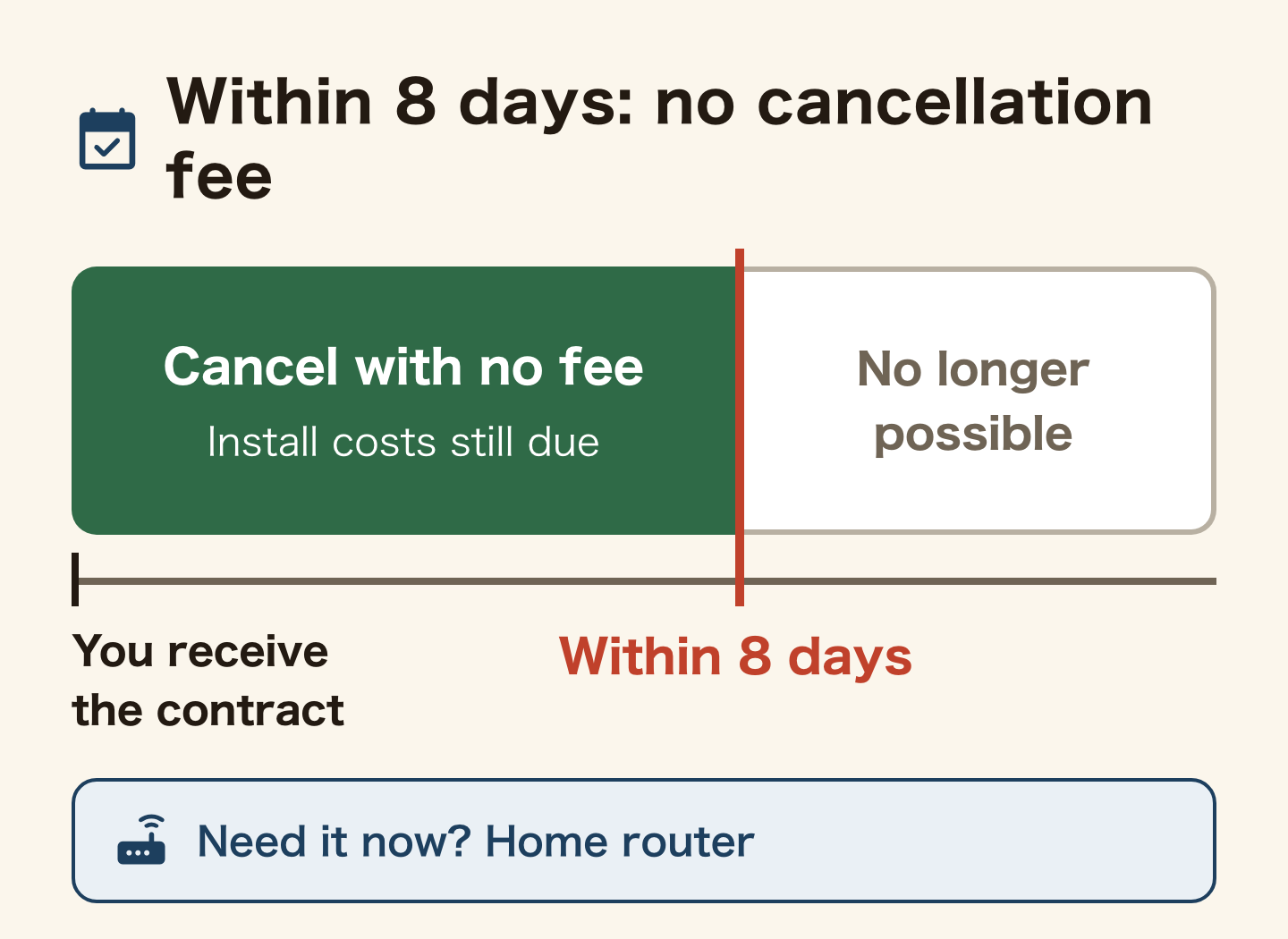
Fibre takes time from sign-up to connection. If you need internet now and choose fibre, you can be offline for weeks to more than a month. If you need it now, get a home router. Already signed up for fibre on the spot? Within 8 days of receiving the contract document you can use initial contract cancellation with no cancellation fee (you still pay actual costs such as installation work).
2. Locking yourself into long instalments or a long contract
Plans sold as “effectively free” usually spread the router’s price over long instalments. Cancel early or leave Japan, and the remaining device balance is billed. A plan with no contract period keeps you free to leave.
3. Leaving Japan without returning the rental router
With a rental, cancelling is not the end: you must return the router by the 10th of the month after you cancel. If you do not return it, you are charged 32,780 yen for the router and more (42,130 yen in total with the accessories), and the bill can reach you even after you have left Japan. Once your departure is decided, cancel and return the router together.
4. Trying to cover home and outside with phone data only
You can end up paying more for a large phone plan. Fixed internet at home and your phone outside often costs less in total and is more stable.
Official sources: Okiraku Home Wi-Fi: important matters (fees, cancellation, non-return charges, Japanese) / MIC: what is initial contract cancellation? (Japanese) / MIC: using Wi-Fi safely (Japanese) / NTT East: how long until FLET’S Hikari is available? (Japanese) (checked 18 October 2026)
Frequently asked questions
Does it really work with no installation?
Yes. A home router just plugs into a power socket and connects to Wi-Fi. No cabling, no engineer visit – it works the day it arrives.
Can I get one in a rental apartment?
Yes. There is no building work, so you don’t need the landlord’s permission, and there are no removal fees when you leave.
Can I apply with just my residence card?
Yes. Identity is verified with your residence card. Enter your name and address exactly as written on it.
What happens when I leave Japan?
With a no-lock-in plan you can cancel with no penalty. If you paid for the device in instalments, check the remaining balance. If you rented the router, return it before you leave: if you do not, they charge you 32,780 yen for the router plus 3,300 for the SIM, 4,400 for the AC adapter and 1,650 for the Ethernet cable, 42,130 yen in total (Okiraku Home Wi-Fi official terms, Japanese).
Can I apply without a credit card?
Okiraku Home Wi-Fi accepts payment by a Japan-issued credit card only (no debit, prepaid or foreign-issued cards; official terms). If you don’t have one, get one first through credit cards foreigners can get, then apply.
Is phone tethering enough?
If you live alone and use little data, it can be. Rakuten Mobile’s unlimited plan includes unlimited tethering. If you have family or watch a lot of video, a home router or fibre is better.
Which is faster, a home router or fibre?
Fibre is more stable and faster. A home router is still fine for video and video calls. If online meetings are central to your work or you play large online games, consider fibre.
Summary: if unsure, a home router with no installation
- Staying 2+ years, family, home office → fibre (worth the installation wait)
- Renting, moving often, need it now → home router (Okiraku Home Wi-Fi: rented router, no leftover balance)
- Want it outside, lower usage → pocket Wi-Fi or phone tethering
If you don’t know how long you’ll stay or you move often, a home router with no installation, no lock-in and no device to buy is the easier choice. When you leave Japan, remember to cancel and return the router.
Related guides
Found this useful? Share it
Send it to a friend who lives in Japan.
WHO WROTE THIS

mori
Japanese. I read the ministries’ own notices, orders and Q&As in the original, and I start from what my Nepalese and Sri Lankan friends in Japan actually ran into. I do not write about what I have not checked or been told.
What this site can and cannot do →Looking for something else?
You may use the figures in this article, including commercially, if you credit this site with a link. How to use our figures