This article contains affiliate links.
Last updated: July 2026
Figures, prices and terms were checked against manufacturer stores and product pages (individual model prices change) on 6 August 2026. They change — check the current terms yourself before you sign up or file anything.
In short
- Decide what you will use it for and the keyboard layout first. The layout cannot be changed after you buy.
- Laptops sold in Japan come with a JIS keyboard by default. A US (English) layout is sold only by certain shops and on certain models.
- If you live here on a student or work visa, you are almost certainly not eligible for tax-free shopping. Tax-free is for people visiting Japan temporarily.
- Avoid used machines from shops and flea market apps. Buy new, or Amazon Renewed, so you get a warranty.
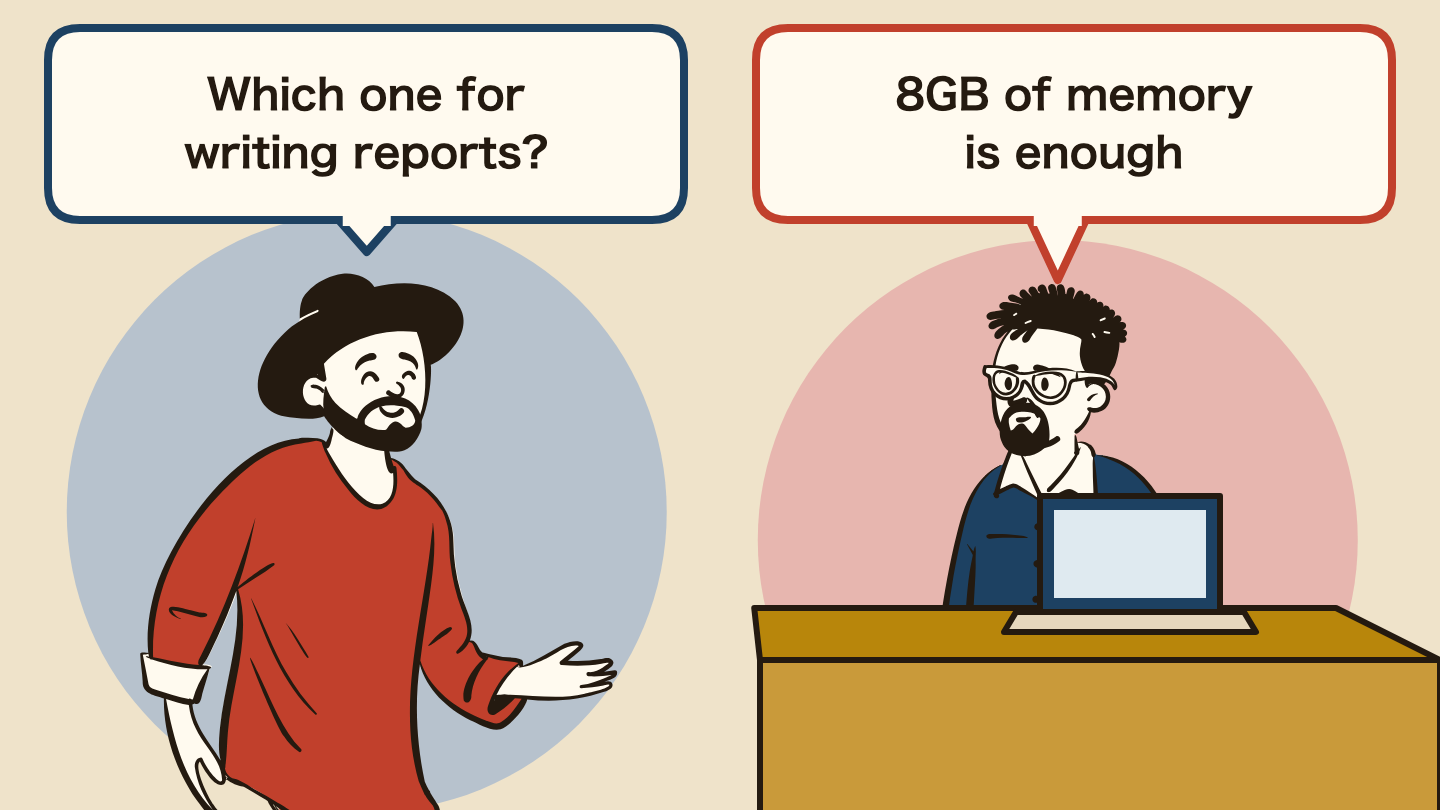
- Minimum specs: 8GB of memory and a 256GB SSD (with a 128GB model, plan to add an external SSD). Check whether you need Office.
- Set the budget by use: for coursework, job hunting, video calls and everyday use, a new laptop at 60,000 to 90,000 yen (8GB of memory) is enough. On a tighter budget, a refurbished machine at 30,000 to 50,000 yen. For video editing or gaming, 16GB of memory from 100,000 yen. Check the price on the product page on the day you buy.
- Ways to pay less: Amazon sales, maker online stores (Fujitsu WEB MART, Acer) with older models and campaigns, store point cards, and comparing prices on Kakaku.com.
Once you know this, you can swap the 150,000 yen laptop a sales clerk suggests for one at 60,000 to 90,000 yen. And with the keyboard settled first, you will not end up returning a layout you cannot type on.
💡 Related: home internet / a credit card to pay with / part-time jobs
“You will need a laptop for class.”
International students hear this soon after they arrive in Japan. Reports, online classes, even the résumé for a part-time job all need a computer.
But the laptops lined up in big electronics stores mostly cost more than 100,000 yen, and many students feel they simply cannot afford one.
In student communities the same questions come up again and again: “Where is it cheapest?” “Is used OK?” “Can I just buy on Amazon?”
On top of that, there are two traps nobody warns you about: the keyboard is laid out differently, and the tax discount you were counting on does not apply to you.
This guide clears up those two first, then shows how to buy a laptop in Japan safely and cheaply.
It covers new versus used, what each budget buys, what each place to buy is good at, how to use the Fujitsu and Acer official stores, and what to check before you pay.
- 1. The basics for students buying a laptop
- 2. The first fork in the road: JIS or US keyboard
- 3. The tax-free trap: you probably do not qualify
- 4. Used and refurbished are not the same thing
- 5. Where to buy, and what each option is good at
- 6. What to buy at each budget (available on Amazon)
- 7. Buying cheaper from official stores
- 8. Before you pay: three things to check
- 9. Summary
- Related guides
- Frequently asked questions
- Q. How much should I budget for a laptop in Japan?
- Q. Should I avoid a used laptop?
- Q. Where is it cheapest to buy?
- Q. Are laptops cheaper in Japan?
- Q. Can I use tax-free shopping as an international student?
- Q. Can I change a Japanese keyboard to English?
- Q. Where can I find a laptop with an English keyboard?
1. The basics for students buying a laptop
A laptop is not just a handy gadget. For a student it ties directly into study, daily life and preparing for the future.
What students should weigh:
- Study first: classes, reports, online lessons and presentation slides are the main use
- Easy to carry: you will take it to school and the library, so a light laptop is popular
- Budget: “under 100,000 yen if possible” is what most students really want
- Warranty and support: with the language barrier, good repair and support matters a lot
💡 In other words, the right fit for most students is a new laptop at 60,000 to 90,000 yen. You need a model above 100,000 yen only for video editing or gaming.
2. The first fork in the road: JIS or US keyboard
Laptops sold in Japan come with a JIS keyboard by default. It has extra keys, a larger Enter key, and the symbols are in different places (Mynavi News: buying a laptop with an English keyboard, in Japanese). You can change the input language in seconds, but you cannot change the physical keys (page 2 of the same article). So decide this before you shop.
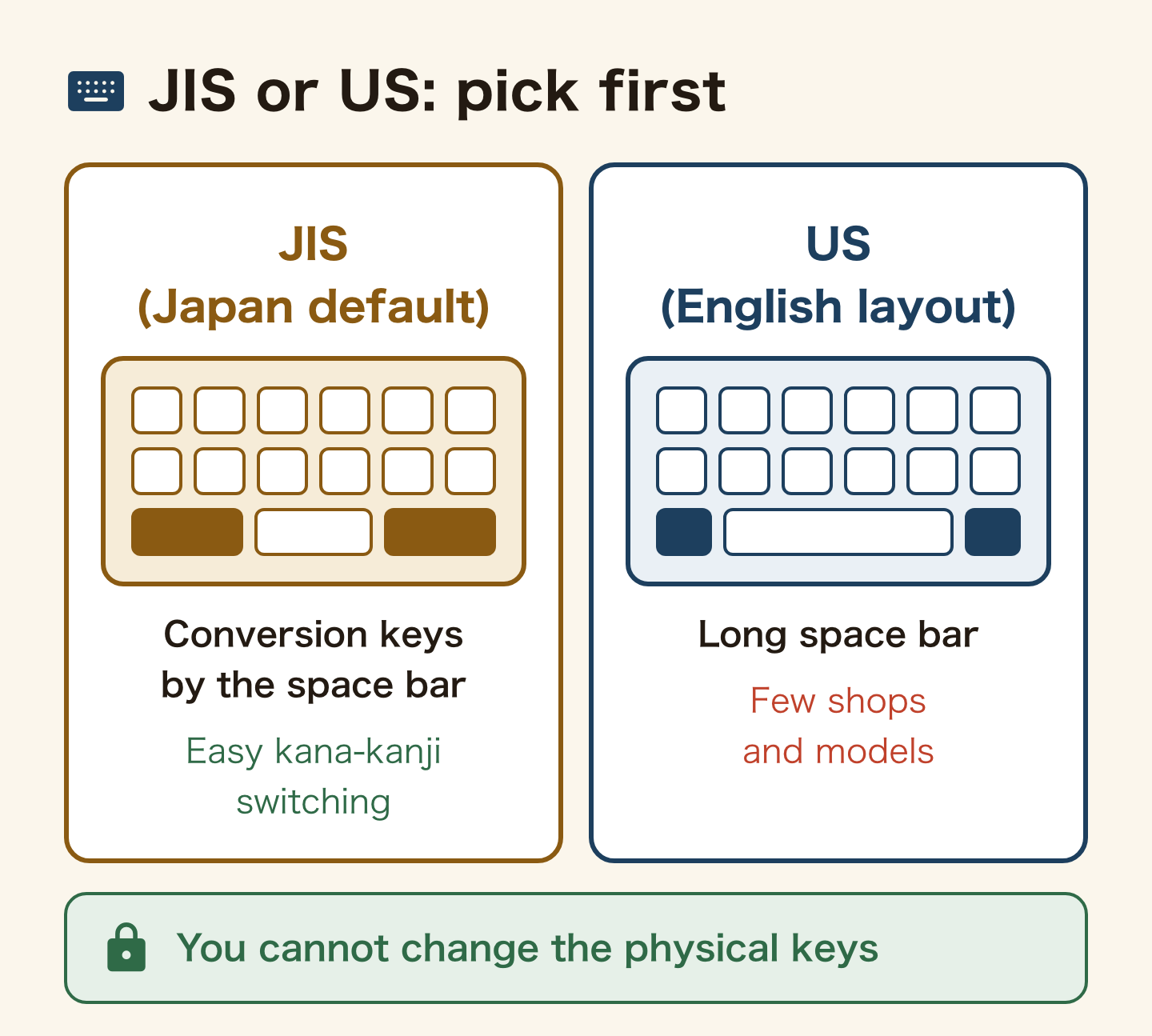
Here is the part most English guides leave out: if you are learning Japanese, the JIS keyboard is genuinely the better tool. It has conversion keys on either side of the space bar, so switching between kana and kanji takes one key. If you will live in Japan long term, choosing JIS is not settling – it is often the right call.
If you do want a US layout, these are the routes:
- Apple Japan online store: you can select the US layout when ordering (Apple Japan: MacBook Air specifications, in Japanese)
- Lenovo Japan online store: some custom-configured ThinkPad models let you choose an English keyboard (Mynavi News)
- Large electronics stores such as Yodobashi: few English-layout models; compare the price with the same model in JIS before you buy
- Amazon Japan: search the Japanese phrase “US キーボード” rather than English words, and you will find far more listings
3. The tax-free trap: you probably do not qualify
Tax-free shopping in Japan is for people visiting temporarily, not for people who live here. A foreign national can buy tax-free only with a residence status such as “Temporary Visitor” (National Tax Agency: tax-free sales at export shops, in Japanese), and must be able to show they have been in Japan less than six months since entry (Japan Tourism Agency: about tax-free shopping, in Japanese). If you hold a Student, Engineer/Specialist in Humanities/International Services or similar residence card, you cannot buy tax-free.
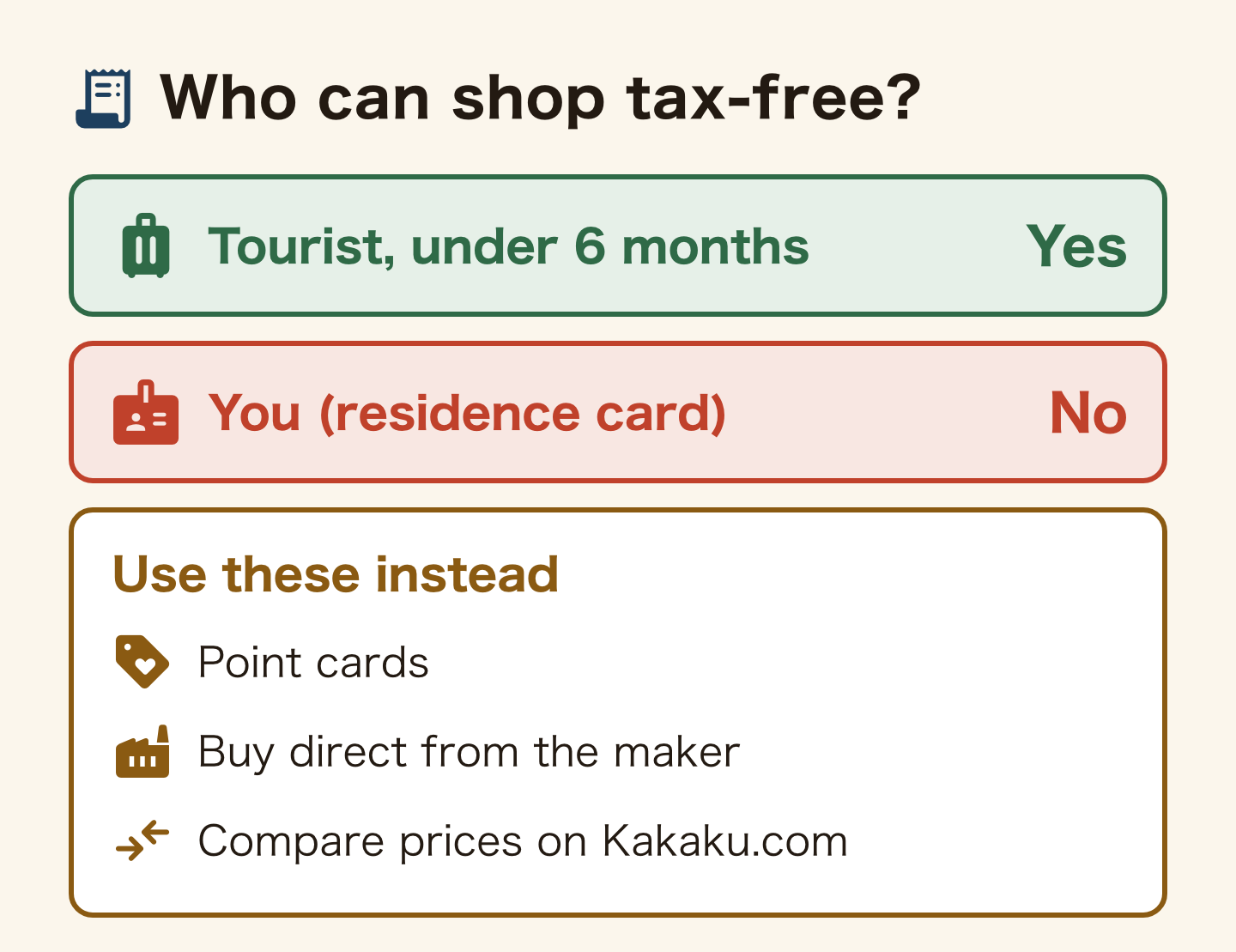
Plenty of English-language advice tells foreigners in Japan to “shop tax-free at the big electronics stores.” But if you show a residence card at the tax-free counter, you will be turned away. If you were counting on that 10 percent, your budget is off from the start. Plan for the full price including consumption tax.
You still have discounts you can use. Big electronics chains run point cards: a purchase earns points, and you spend them on your next one. The rate differs by store and by item, so check the points shown on the price tag and compare the total with the maker’s direct price.
4. Used and refurbished are not the same thing
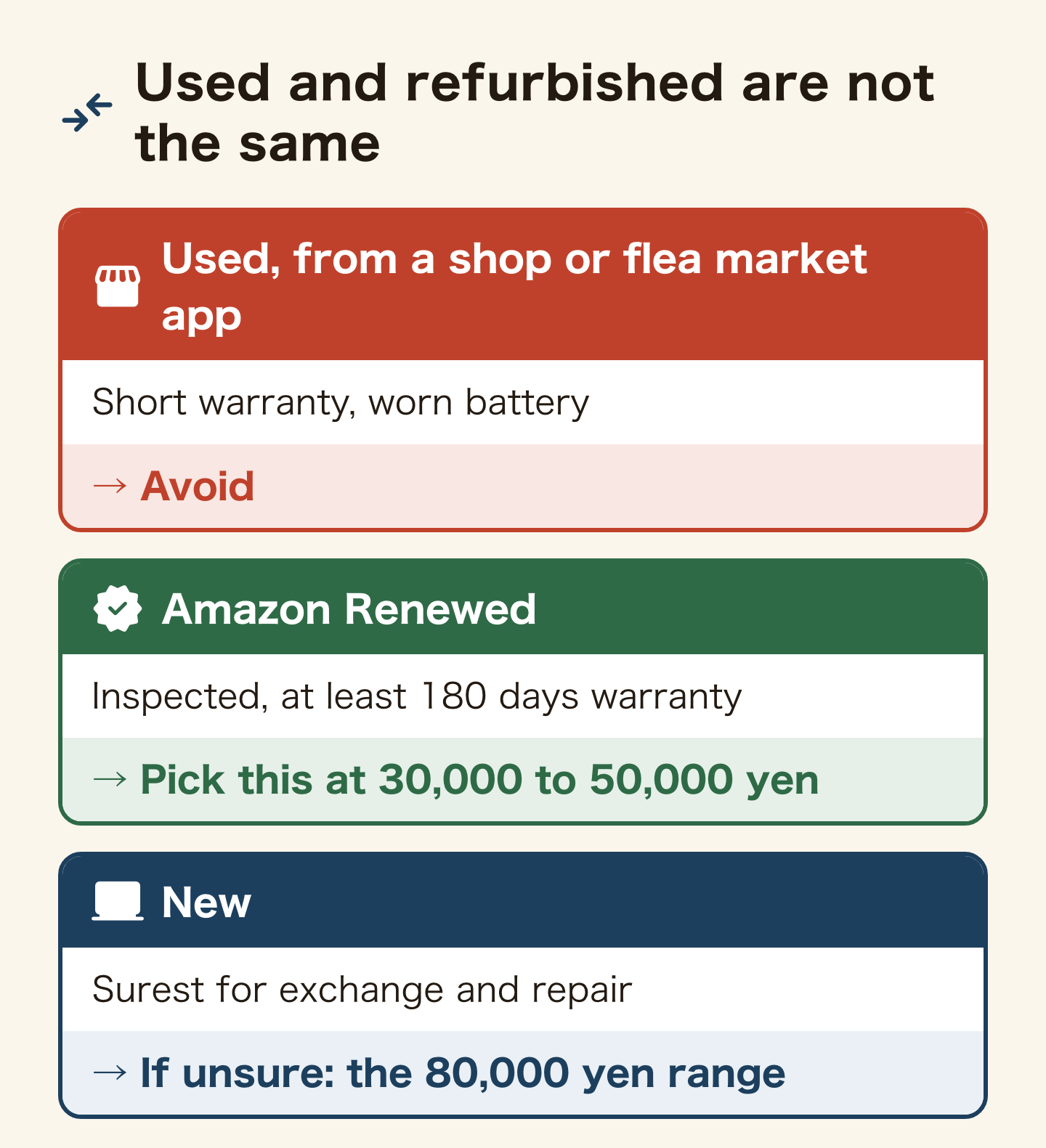
Plenty of students think “cheaper is better” and look at used laptops.
It is true that in Akihabara or a second-hand shop you can get a laptop for a few tens of thousands of yen.
But there are risks:
- Worn battery: a used laptop often dies quickly once unplugged
- Short warranty: often around one month, so if it breaks you may have to buy again
- Weak support: asking for repairs in Japanese is a real hurdle for students
- Old OS or low specs: it may not handle your classes or Zoom
You often hear “I bought it because it was cheap, could not use it, and ended up buying a new one anyway.”
💡 These risks apply to used machines bought in shops or on flea market apps. Amazon Renewed products are inspected and serviced by qualified sellers and covered by a warranty. According to Amazon’s explanation, they come with a seller warranty of at least 180 days. Some sellers give longer, so check the days on the product page.
If you still choose used, buy from a large chain such as PC Koubou and pick one with a warranty.
5. Where to buy, and what each option is good at
Maker online stores run direct-only sales and outlets, which makes them one of the places to buy a new laptop cheaply. A physical store is worth it when you want to type on the keyboard before deciding.
| Where | Good for | Watch out for |
|---|---|---|
| Maker online stores | Direct-only sales and outlets, configure-to-order | Site is usually Japanese only |
| Yodobashi, Bic Camera | Trying the keyboard, point rewards, same-day pickup | Can cost more than buying direct |
| Dospara and other PC specialists | Competitive pricing, staff who know specs | Fewer premium and Mac models |
| Amazon Japan | Wide selection, easiest place to find US keyboards | Check the seller, not just the price |
| Used and refurbished | Tightest budgets | Battery age; used machines often have little or no warranty (Amazon Renewed carries at least 180 days from the seller) |
Whichever route you choose, look the model number up on Kakaku.com first. It is Japan’s price comparison site, showing the same model’s price across many shops. Within a minute you know whether the deal in front of you is really a deal.
6. What to buy at each budget (available on Amazon)
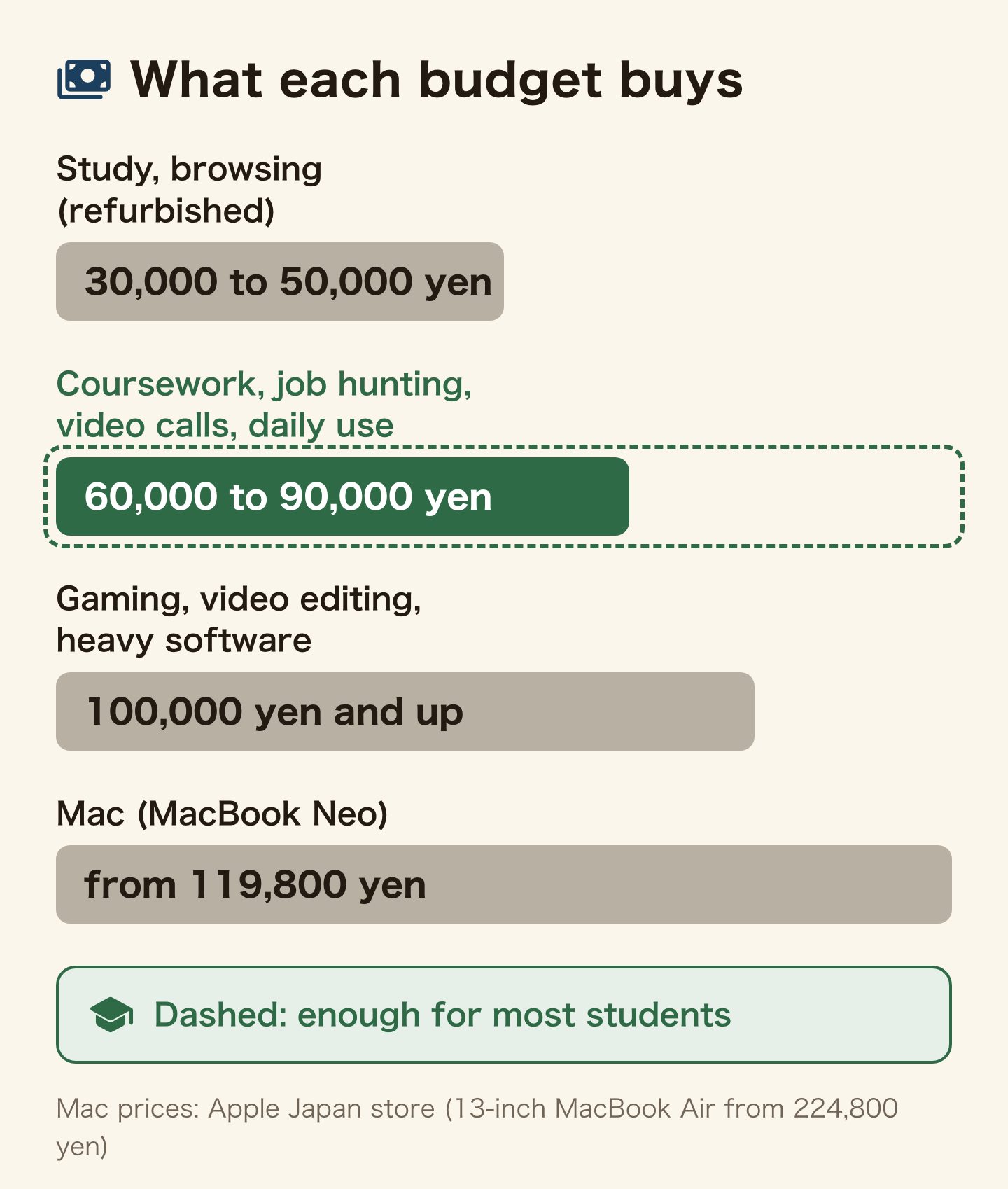
For coursework, job hunting, video calls home and everyday use, a machine at 60,000 to 90,000 yen is enough. Spending more only pays off if you game, edit video, or run heavy software. Below are models popular with students, limited to ones you can buy on Amazon.
Individual model prices move every week with sales and stock. The figures here are a guide checked in August 2026. Check the live price on the product page before you buy. The price bands themselves (30,000-50,000 / 60,000-90,000 / 100,000+) change much more slowly.
Quick guide by price band
| Price band | Laptop example | Desktop example | Use | Main specs |
|---|---|---|---|---|
| 30,000-50,000 yen | dynabook R63 (refurbished) | – | Daily use, study | 7th-gen Core i5, 8GB, SSD 1TB |
| 60,000-90,000 yen | acer Aspire 3 (new) | HP 285 Pro G8 Microtower | Everyday, business | Core i3-i5, 8GB, SSD 128GB+ |
| 100,000 yen+ | – (not covered in this article) | ThinkCentre neo 50q Tiny | Gaming, heavy work | Ryzen 7/Core i5, 16GB, SSD |
| From 119,800 yen | MacBook Air (current M5 from 224,800 yen; previous M4) | LAVIE A2365/GAB | Creative work, Mac | M5/M4/Ryzen 7, 16GB, SSD |
What to look for on the spec sheet (in order of how much it affects daily use)
- SSD storage, not a hard disk: this is the biggest difference in how fast a machine feels. Most modern laptops have it
- 8GB of memory minimum, 16GB if you can: 8GB is workable; 16GB keeps things smooth with many browser tabs open
- 256GB of storage or more: with a 128GB model, budget for an external SSD
- Processor (CPU): for reports and classes, a Core i3 to i5 or Ryzen 3 to 5 class chip is enough. Go higher for gaming or video editing
- Weight: if you carry it to school every day, up to about 1.5kg is comfortable
- Office: check whether your school needs it first. Some models include it and some do not
30,000 to 50,000 yen: refurbished gets you enough machine even here
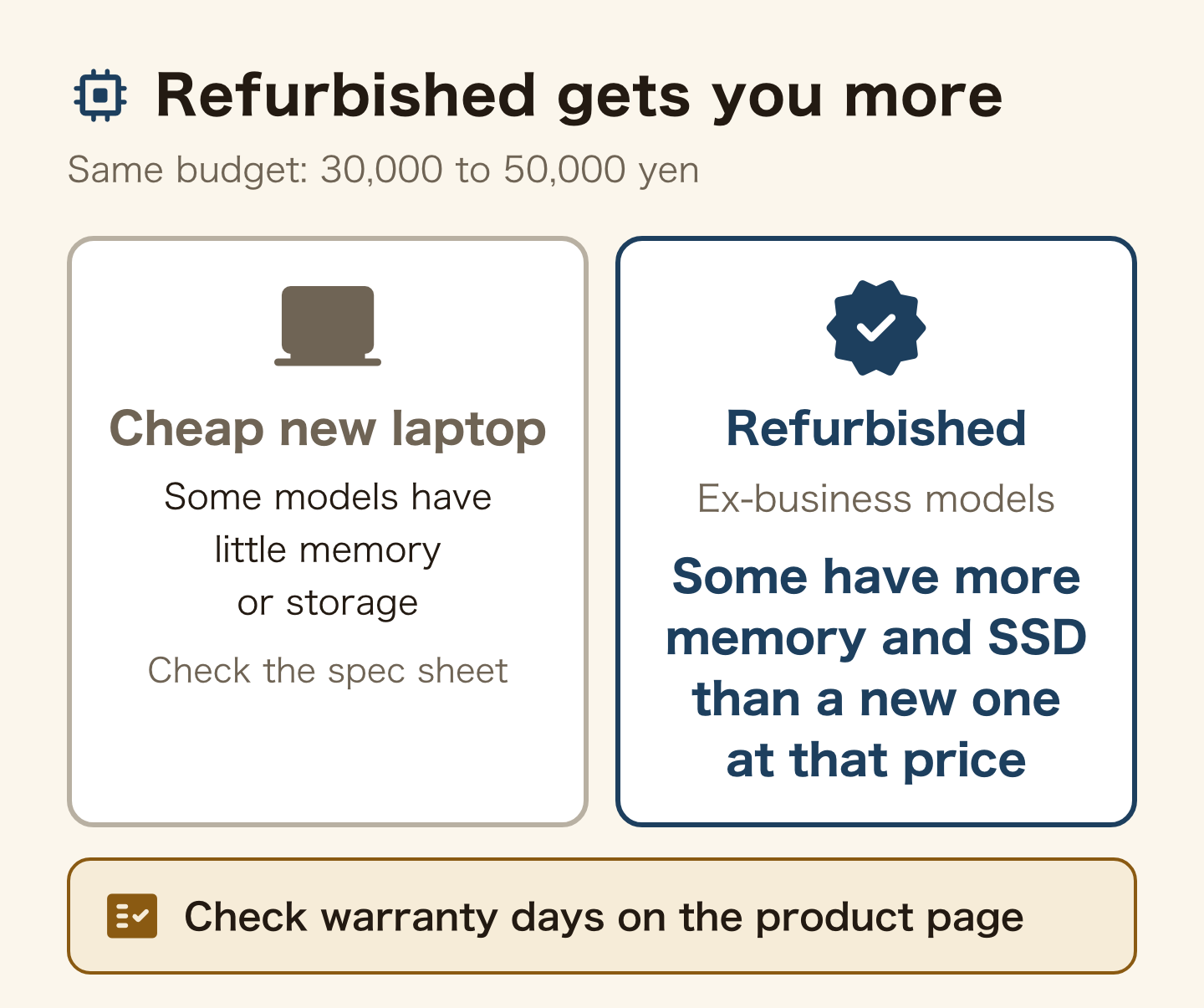
Some cheap new laptops come with little memory or storage. Before you buy, check the amount of memory and storage in the spec table on the product page. With the same budget, also compare refurbished business models that companies used to own.
Amazon Renewed products are inspected, tested, cleaned and serviced by Amazon-qualified sellers, and are covered by the Amazon Renewed warranty. The return policy and the marketplace guarantee also apply (Amazon Japan: Amazon Renewed condition and warranty, in Japanese). The warranty length differs by seller, so check the days in the product description before you buy. That is the difference from a used machine bought over the counter in Akihabara.
▶︎ Toshiba dynabook R63 (refurbished, 39,900 yen)
7th-generation Core i5, 8GB of memory, 1TB SSD, 13.3-inch (checked on the product page on 18 October 2026; the listing spells it “Dyna Book R63”). It is a refurbished ex-business model. With a 1TB SSD you can store plenty of photos and documents. Check the warranty days on the product page.
In the 80,000 yen range: if you want the certainty of new
For exchanging a faulty unit and for repairs, new is the surest. If used still makes you uneasy, waiting until you can afford this band will be easier in the end.
▶︎ acer Aspire 3 (about 82,500 yen)
Core i3-N305, 8GB of memory, 128GB SSD, 14-inch (checked 18 October 2026). 128GB of storage is small. If you keep photos or videos, budget for an external SSD at the same time.
If you want a Mac (from 119,800 yen)
▶︎ MacBook Air (13-inch)
The current model on Apple Japan has the M5 chip; the 13-inch has 16GB of memory and a 512GB SSD, from 224,800 yen (checked 2 October 2026). The cheapest Mac laptop is the MacBook Neo, from 119,800 yen (checked the same day), or from 104,800 yen with education pricing (checked 18 October 2026). The link below is the previous-generation M4 (16GB of memory, 256GB SSD). The battery lasts a long time, and with no fan it is silent. But Japanese schools and workplaces sometimes send documents and software that assume Windows. Ask your school before you enrol whether any specific software is required.
Prices were checked on Amazon on 18 October 2026. Refurbished stock is small, so items sell out and prices move. Use the buttons above to see today’s price before you decide.
7. Buying cheaper from official stores
Amazon is convenient, but a maker’s direct online store can sometimes be cheaper still.
🎯 Fujitsu WEB MART
- A Japanese maker’s direct store, with frequent direct-only sales
- Web-only custom builds. The maker warranty is one year; the warranty service pack that extends it to 3-5 years is paid
- Keyboards are JIS layout. Check the product page before ordering
- Plenty of outlet and “imperfect” items 👉 good if you want to use it for a long time with peace of mind

🎯 Acer official online store
- Entry-level to mid-range machines, including gaming models
- You can buy monitors and accessories in the same order 👉 good if value for money comes first

8. Before you pay: three things to check
- Payment method: maker online stores and the online shops of big retailers expect a credit card. If you do not have one yet, read how foreigners get approved for a credit card in Japan first
- Delivery address: enter your name exactly as it appears on your residence card, in the same order. A mismatch can hold up the order or the delivery check
- Warranty length: Fujitsu’s maker warranty is one year (Fujitsu: FMV warranty service pack, in Japanese); check the length on other makers’ product pages. An extended warranty is often not needed on a budget machine, but can be worth it on an expensive one
Also think ahead to the day you leave Japan. A laptop you bought is yours to sell or take home, unlike equipment you rent – the same logic as with home internet routers. Owning it leaves you freer when your plans change.
9. Summary
- Choose the keyboard layout first – it is the only part you cannot change later
- JIS is the default and actually better for typing Japanese; look for US layouts at Apple, some Lenovo models, Amazon Japan and a few big stores
- Residents of Japan cannot buy tax-free. Budget for the full price with tax
- Bring the price down instead with point cards, direct-from-maker sales and Kakaku.com
- For reports and everyday use, a new laptop at 60,000 to 90,000 yen is enough. On a tighter budget, a refurbished machine at 30,000 to 50,000 yen is an option; some have more memory and SSD than a new one at that price
- If used still worries you, buy new in the 80,000 yen range. Waiting until you can afford it is easier in the end
- Amazon Renewed comes with a seller warranty of at least 180 days. Check the product page for whether it is longer
- The Fujitsu and Acer official stores are worth a look for outlet deals and warranties
Your laptop is your partner for student life in Japan.
Do not be swayed by price alone – get one you can use with confidence.
👉 If this helped, please share it with a friend!
👉 You can check the laptops mentioned here through the links below.
Fujitsu WEB MART (Japanese site)

Acer official online store (Japanese site)

Related guides
Frequently asked questions
Q. How much should I budget for a laptop in Japan?
It depends on what you will use it for. For reports and research, a new laptop at 60,000 to 90,000 yen (8GB of memory) is the safe choice. Some of the cheapest new models have little memory or storage, which gets painful after a few years. On a tighter budget, a refurbished machine at 30,000 to 50,000 yen is an option. If you also edit video or game, choose 16GB of memory from 100,000 yen. Prices move with sales and stock, so check the product page on the day you buy.
Q. Should I avoid a used laptop?
Treat used and refurbished as different things. A used machine from an individual or a shop carries risks such as a worn battery and a short warranty. A used laptop whose battery is so worn it must stay plugged in is a poor deal at any price. Amazon Renewed products are inspected and serviced by qualified sellers and come with a seller warranty of at least 180 days; some sellers give longer, so check the product page. At 30,000 to 50,000 yen, refurbished is the safer pick; if you can spend 80,000 yen, buy new.
Q. Where is it cheapest to buy?
Amazon sales, and the direct-only sales and outlets of maker online stores (Fujitsu WEB MART, Acer official store). The official stores are also reassuring for warranty and support. Wherever you buy, first compare the same model number on Kakaku.com.
Q. Are laptops cheaper in Japan?
It depends on which country you compare with, so there is no single answer. The bigger difference is where you buy. The same model can cost different amounts at a maker’s direct sale, at a big store with points, or in an Amazon sale. Compare on Kakaku.com before you decide.
Q. Can I use tax-free shopping as an international student?
No, in almost all cases. A foreign national can buy tax-free only with a status such as Temporary Visitor and less than six months since entering Japan. Holding a Student or work residence card excludes you. Use point cards and direct-from-maker sales instead.
Q. Can I change a Japanese keyboard to English?
You can change the input language and settings in a minute, and many people do. What you cannot change is the physical key arrangement, so some symbols will not match what is printed on the keys. If that would bother you daily, buy a US layout from the start.
Q. Where can I find a laptop with an English keyboard?
The Apple Japan online store lets you select a US layout when ordering. Lenovo offers it on some custom-configured ThinkPad models. On Amazon Japan, search the Japanese phrase “US キーボード”. Large stores such as Yodobashi carry a few.
Official sources: National Tax Agency: tax-free sales at export shops (Japanese) / Japan Tourism Agency: about tax-free shopping (Japanese) / Amazon Japan: Amazon Renewed condition and warranty (Japanese) / Fujitsu: FMV warranty service pack (Japanese) / Apple Japan: MacBook Air (Japanese) / Apple Japan: MacBook Air specifications (Japanese) (checked 18 October 2026) / Further reading: Mynavi News on English-keyboard laptops (Japanese, March 2023)
Found this useful? Share it
Send it to a friend who lives in Japan.
WHO WROTE THIS

mori
Japanese. I read the ministries’ own notices, orders and Q&As in the original, and I start from what my Nepalese and Sri Lankan friends in Japan actually ran into. I do not write about what I have not checked or been told.
What this site can and cannot do →Looking for something else?
You may use the figures in this article, including commercially, if you credit this site with a link. How to use our figures