Checked on 12 November 2026 against official pages from the Ministry of Internal Affairs and Communications (MIC) cybersecurity site for citizens, IPA (Information-technology Promotion Agency), the National Police Agency’s white paper and help page, the Financial Services Agency (FSA), and the Immigration Services Agency. This guide does not recommend any app or service.
The short answer
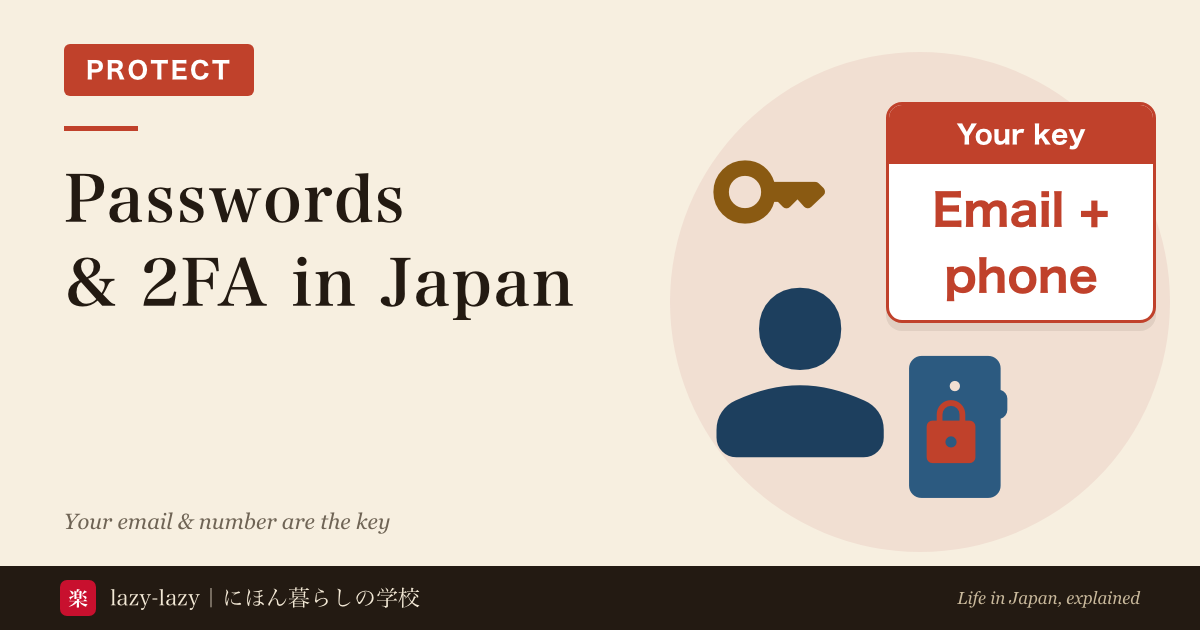
- In Japan, your email address and phone number are the key to your online accounts. Immigration’s online system sends your receipt number and review result by email. When you forget a password, you get back in through the email or number you registered.
- Password reuse means using the same password on more than one service. One leak can open the others. Use 10 or more characters, and a different password for each service.
- You do not need to change passwords on a schedule. Change one at once when you learn it has leaked.
- Turn on two-factor (multi-factor) login for your email and bank first. Never share a code sent by SMS, even with someone who says they are a friend.
- Before you change or cancel your phone number, move your bank, immigration and other accounts to a new number and email. This matters most before you leave Japan. A cancelled number cannot receive SMS codes.
Knowing this, you can stop account takeovers and still get into your bank and visa accounts after your number is gone. If someone does get in, you will know what to do first.
It is one week before you fly home, and you have just bought a SIM to use at the airport. You plan to cancel your Japanese line the day before you leave. Then your bank app asks for “the code we sent by SMS”. The code goes to a number that will stop working tomorrow. A Japanese friend says, “Just change the number.” But changing it seems to need a login too, and nobody knows the right order.
- Why is password reuse risky? Police knew of 7,190 cases of unauthorized access in 2025
- Why are email and phone numbers the key in Japan? Banks, phone companies and Immigration
- How should you manage passwords? 10+ characters, no reuse, no scheduled changes
- What is two-factor (multi-factor) login? Two or more of three factors
- Does any of this cost money? You do not need paid tools
- What to do if your account is hacked: it depends on whether you can still log in
- What should you do before changing or cancelling your Japanese phone number?
- Which one are you?
- FAQ
- Summary
- Related reading
Why is password reuse risky? Police knew of 7,190 cases of unauthorized access in 2025
Police in Japan recorded 7,190 cases of unauthorized access in 2025 (National Police Agency white paper, 2026 edition, in Japanese). In 4,747 of them (66.0%), the break-in was followed by “illegal transfers through internet banking”. Among cases solved, 92.6% used someone else’s ID and password typed in without permission.
Passwords leak in three main ways. IPA lists them (in Japanese): a simple password is guessed, a password leaked from another service is reused, or you are tricked into typing it on a fake site. The second is called a list attack: leaked ID and password pairs are tried, one after another, on other services.
That is why reuse matters most. However careful you are, a service you use can leak your password. If each service has its own password, the damage stays in one place. IPA’s help desk received 395 consultations about account takeovers in July to September 2026 (in Japanese). Many came from people locked out of accounts such as Facebook and Instagram.
How to spot fake texts and fake sites is covered in our guide to phishing SMS in Japan and what to do if you tapped. This guide is about protection before that point, and what to do after someone gets in.
Why are email and phone numbers the key in Japan? Banks, phone companies and Immigration
Online services in Japan are built around a registered email and phone number. Immigration’s online residence application system emails you your receipt number, requests for more documents and the review result (in Japanese). If you registered as the system’s user yourself, it also sends alerts 30 days and 7 days before your residence card expires. Password resets and user ID lookups also go by email.
If you apply online, you must carry the receipt email showing your application number at all times, together with your residence card (in Japanese). It proves your application is in progress. Lose access to that email account, and you lose that proof too.
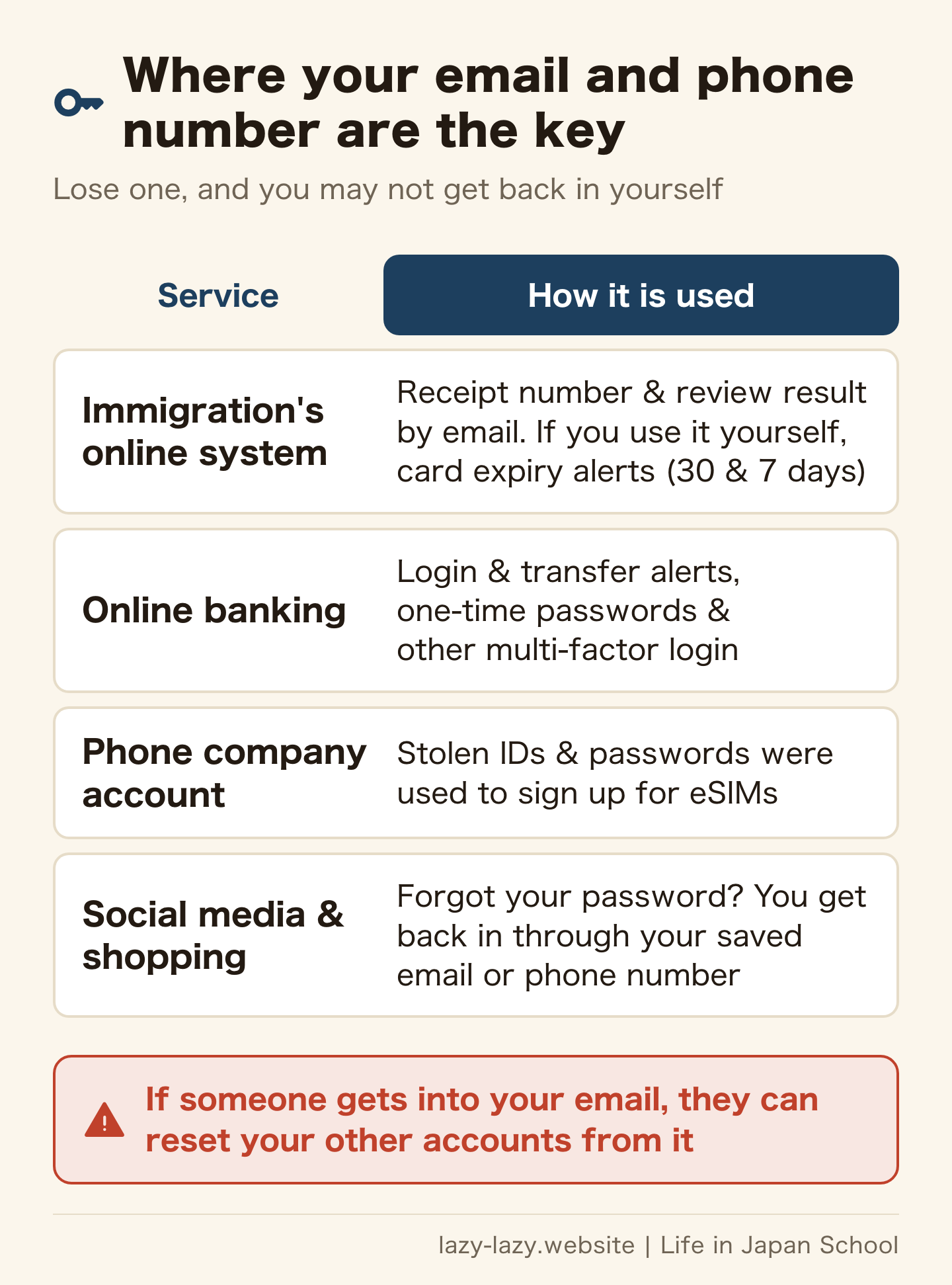
Banks work the same way. Online banking checks who you are with an ID and password plus a second password or a one-time password (MIC, in Japanese). The FSA asks users to turn on alerts for logins, password changes and transfers (in Japanese). Check that the email and phone number receiving those alerts still work.
Phone company accounts are targets too. The police white paper describes a case where stolen IDs and passwords were used to sign up for eSIMs, which were then resold. Your phone number is also how your bank codes reach you. Do not reuse the password for the account that controls that number.
Email matters most. MIC notes that email can often be read with just an ID and password (in Japanese). Once someone is in your email, they can read the “forgot password” messages for your other services. Give your email a password you use nowhere else.
How should you manage passwords? 10+ characters, no reuse, no scheduled changes
MIC’s guidance is at least 10 characters, mixing numbers, symbols, upper case and lower case (in Japanese). IPA suggests making it as long as you can, around 15 characters (in Japanese). If you need to remember it, join a few unrelated English words and put numbers between them.
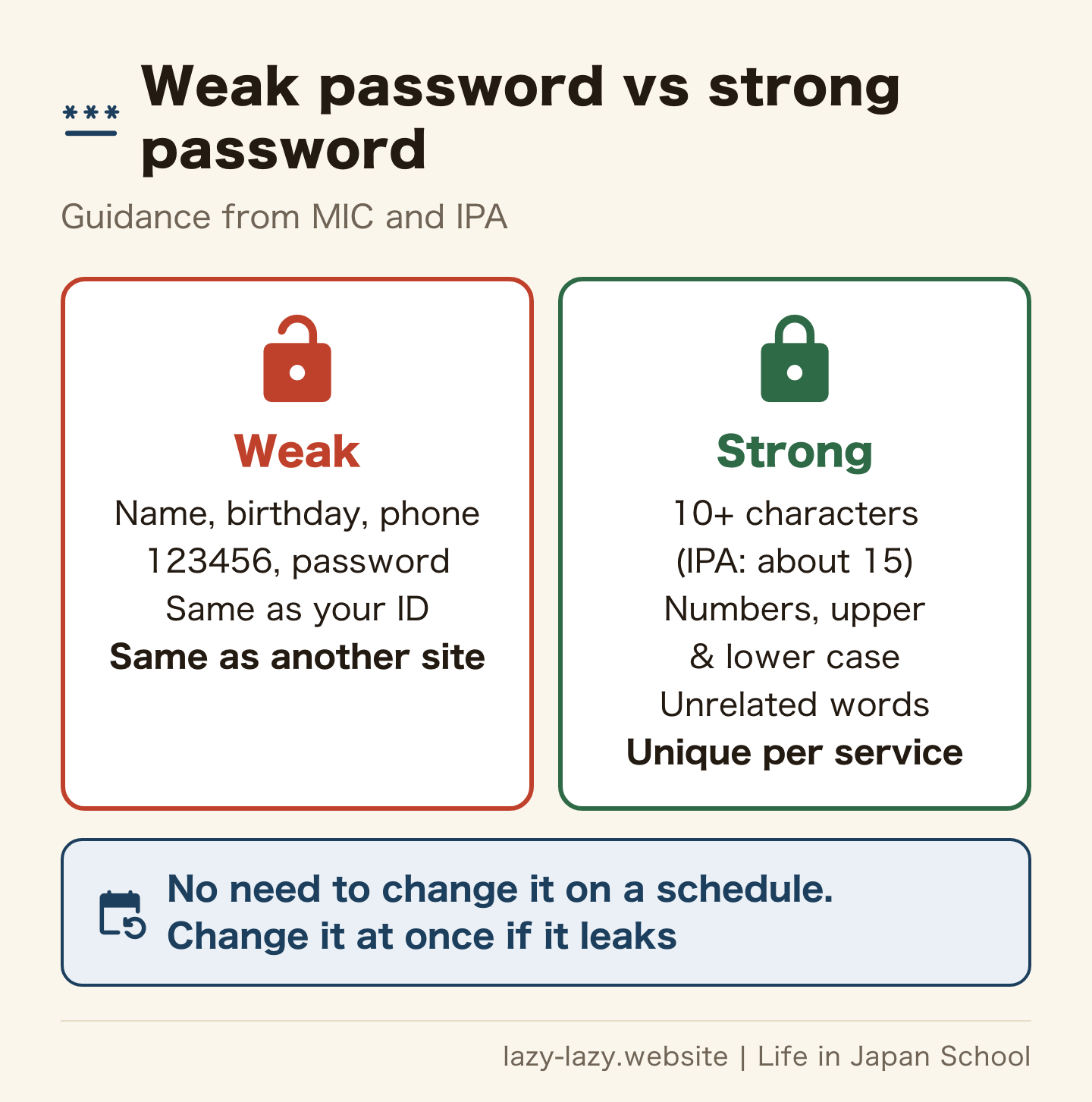
Avoid your ID, your own or your family’s names, your phone number, your birthday, a single dictionary word, and strings like “123456”. Avoid any password you have ever told someone. MIC also says: do not share passwords, do not send them by email, and do not stick notes on your screen.
Nobody can remember them all. MIC also recommends the password-saving features built into phones and browsers, or a dedicated app. If you use one, protect it with your phone’s screen lock or a strong master password you can remember. If you write passwords on paper, keep it somewhere locked.
You do not need to change passwords on a schedule. MIC says there is no need to change one unless it has actually leaked. Regular changes tend to make passwords simpler and push people to reuse them. Change a password when you learn it has leaked.
What is two-factor (multi-factor) login? Two or more of three factors
Multi-factor login combines two or more of these: something you know, something you have, and something you are. IPA explains (in Japanese) that checking in several steps is “multi-step” login, and using two or more different kinds of factor is “multi-factor” login. Services call it different names, such as two-step verification or two-factor authentication. Each service’s help page shows how to turn it on.
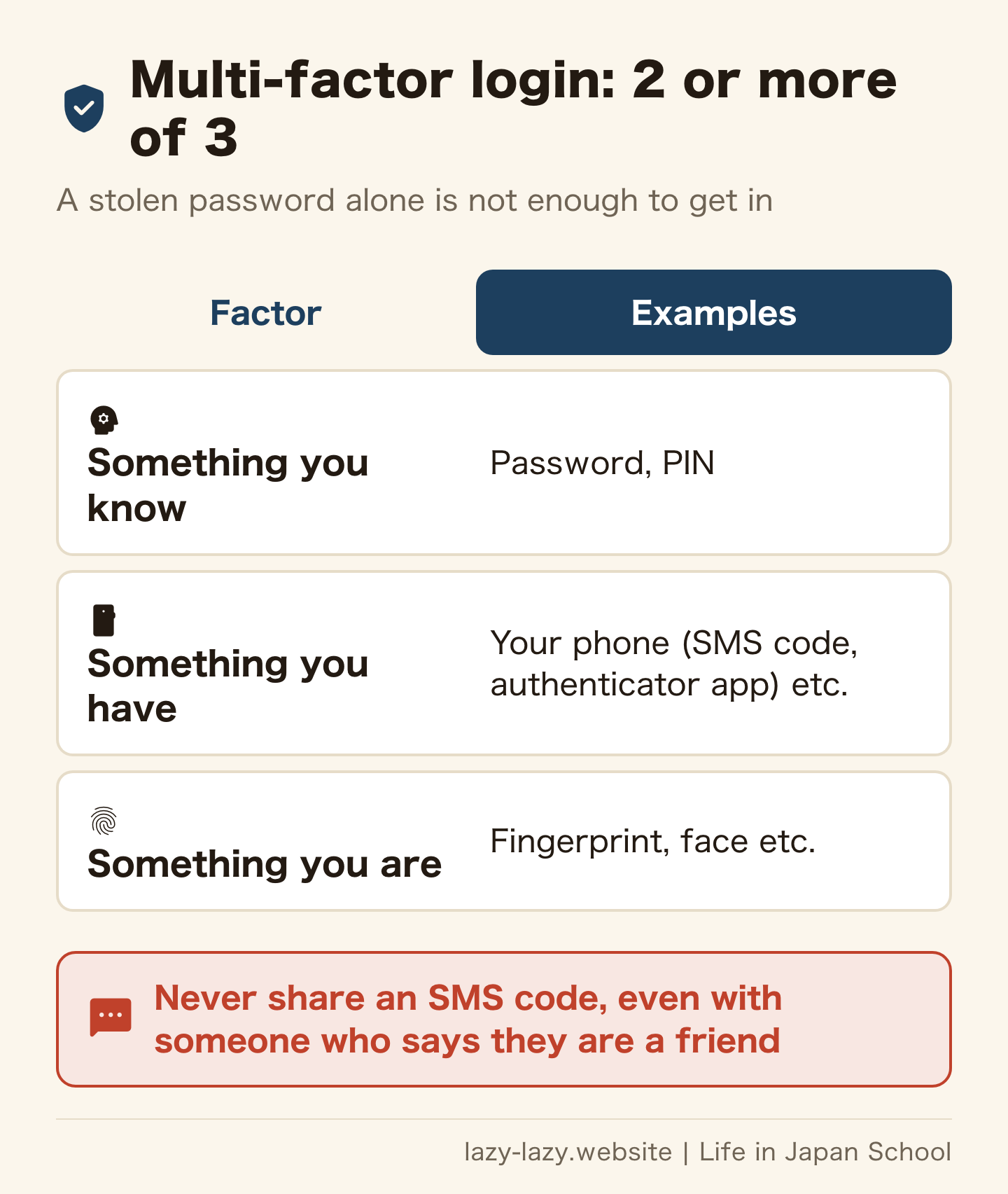
With multi-factor login on, a stolen ID and password are not enough to log in. Set it up in this order: email, bank, your phone company account, then the social media and shopping sites you use most. Email comes first because the reset messages for everything else go there.
IPA also recommends passkeys, which let you log in with your fingerprint, face or phone unlock instead of a password. Whether you can use one depends on the service. If you see “passkey” in the settings, create one.
SMS codes have one trap. In a pattern IPA hears about often, someone posing as an acquaintance asks for your phone number by DM, then asks for the SMS code you receive. They then change the registered number and email, and you are locked out. Never share a code sent by SMS, whoever asks. The friend’s own account may already have been taken over.
Does any of this cost money? You do not need paid tools
You can start with the features built into phones and browsers that MIC mentions. Some of them can also create passwords for you. Check each service’s own guidance on whether its multi-factor login costs anything. This guide does not recommend paid tools.
Getting advice is free too. IPA’s information security help desk is on 03-5978-7509, 10:00 to 17:00 (closed weekends, public holidays and the New Year period). Advice is free, but you pay for the call. Each call is limited to 30 minutes.
What to do if your account is hacked: it depends on whether you can still log in
Posts you did not write, login alerts you do not recognise, or suddenly being locked out are all signs of a takeover. IPA’s steps split on one question: can you still log in?
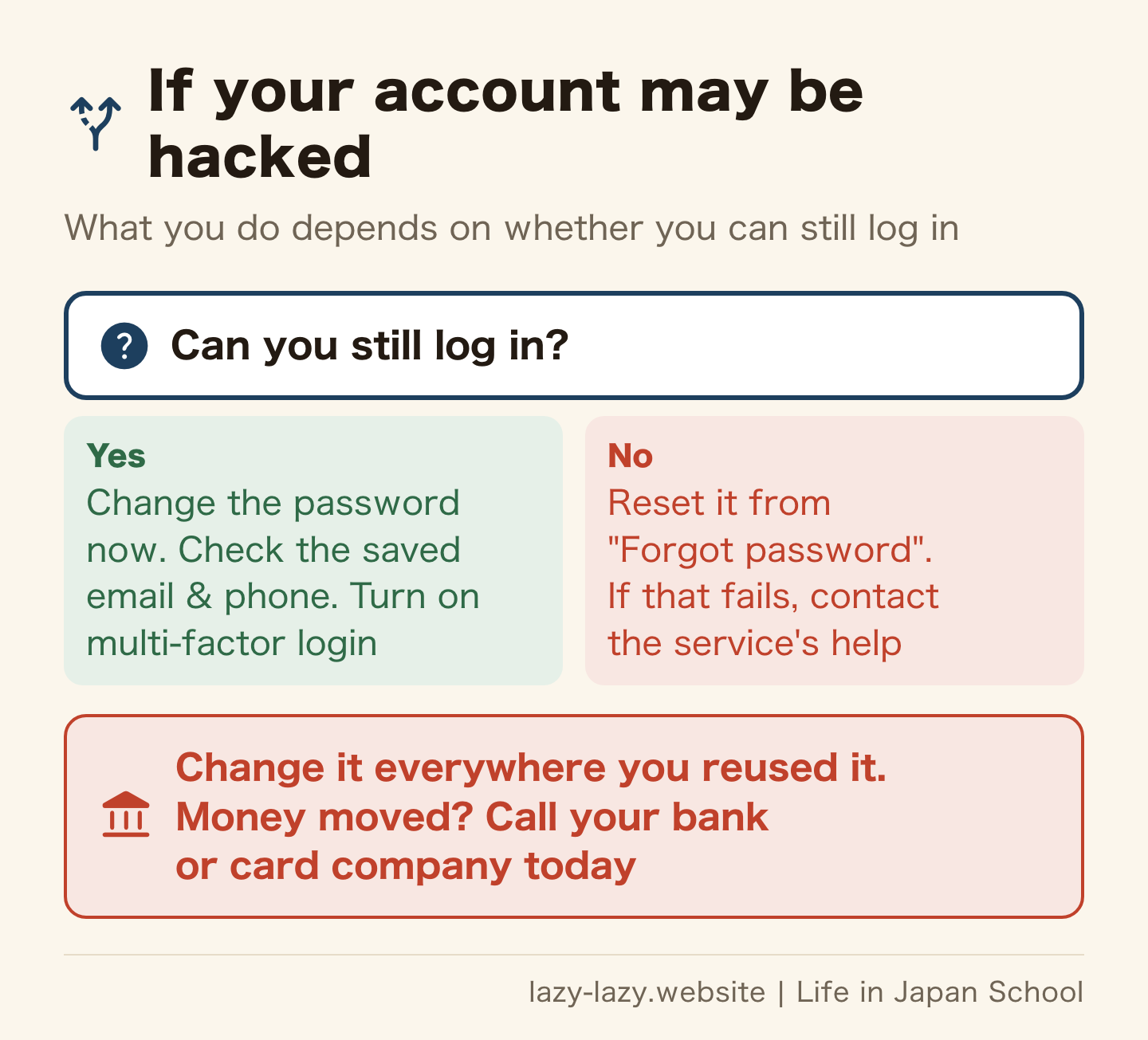
If you can still log in
Change the password straight away. Then look at the registered email address and phone number. Delete anything that is not yours, so only your own details remain. Finally, turn on multi-factor login.
If you cannot log in
Use “Forgot password” on the login page. If your registered email or phone number still works, you may be able to recover the account this way. If that fails, contact the service through its help page. IPA notes that many free services have no phone line, so you will use a web form.
Either way, do this today
Change the password on every service where you used the same one. If money has moved, call your bank or card company today. The FSA says to contact your bank promptly if you find a transaction you do not recognise. If someone learns your password for Immigration’s online system, log in and change it from My Page right away.
Choose where to get help by what happened. For technical questions, call IPA’s help desk. For money lost or a police report, go to your local police station or your prefectural police cyber help desk (in Japanese). If you are unsure, call the police advice line #9110. For trouble with a bank, there is the FSA’s Counseling Office for Financial Services Users (0570-016811, weekdays 10:00 to 17:00). To find a helpline in your language, see our list of free helplines for foreigners in Japan.
What should you do before changing or cancelling your Japanese phone number?
The day before your flight, you cancel your phone on the way to the airport. Where you come from, that may be normal. In Japan, that number may be where your bank codes and many account resets are sent. Give up the number only after every account has been moved.
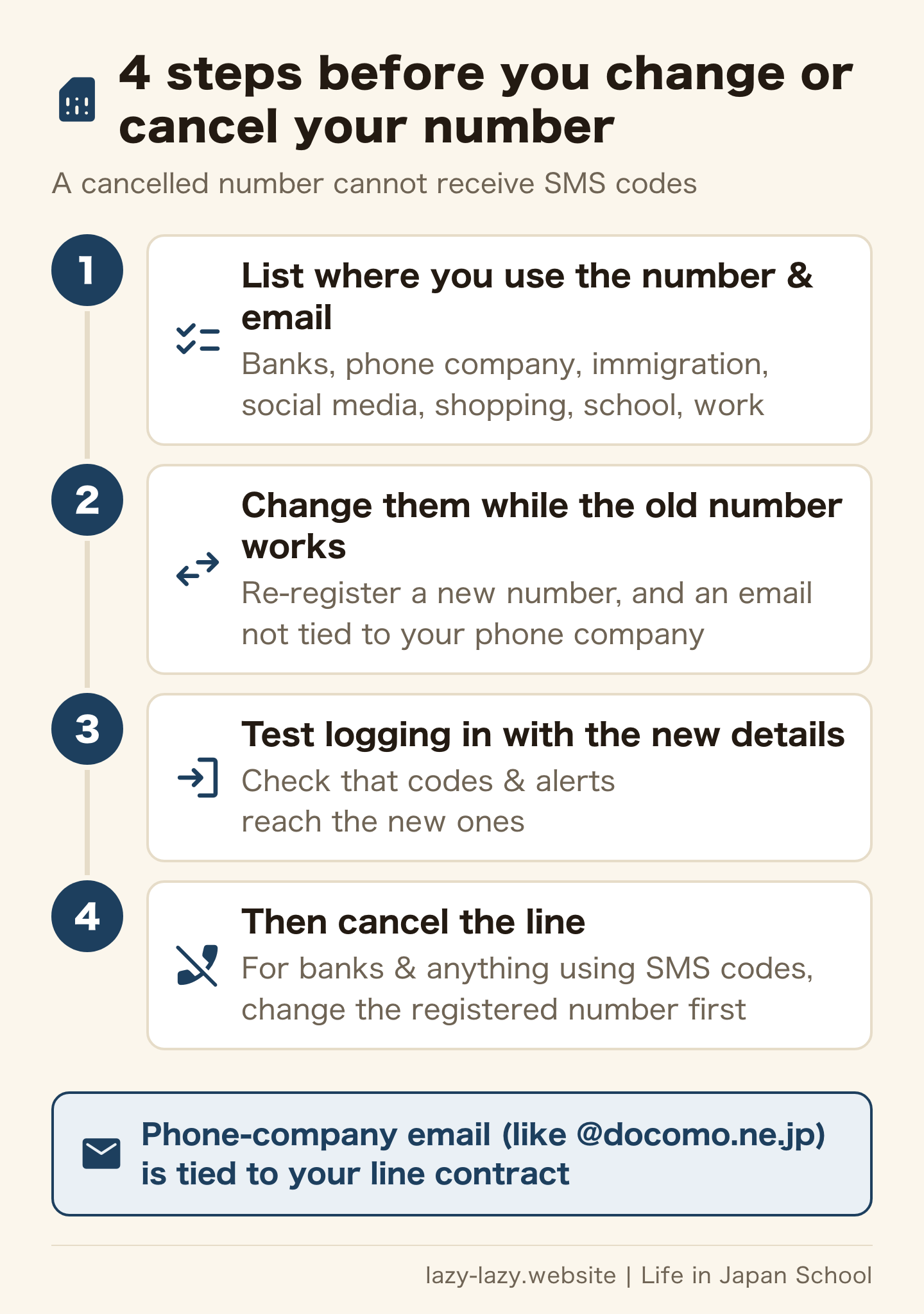
There are four steps. First, list every place that has that number or email: banks, your phone company, Immigration’s online system, social media, shopping sites, and your school or workplace. Next, while the old number can still receive SMS, re-register each one with a new number and email. Third, log in with the new details and check that codes and alerts arrive. Only then cancel the line.
Step two comes first for a reason IPA gives. You can recover an account when your registered email or phone number still works. If you are locked out after giving up the number, all that is left is a help form.
Watch your email address too. Phone-company email (addresses like name@docomo.ne.jp) is tied to your line contract. In an MIC document, keeping that address after cancelling the line required a separate application (January 2022, in Japanese). Ask your phone company about the current terms. Moving important accounts to an email not tied to any phone company saves trouble every time you switch or move abroad. Your email for Immigration’s online system can be changed from My Page after you log in.
If you are leaving Japan, change the registered number for banks and anything else that uses SMS codes before you go further. The full order of leaving-Japan tasks is in our leaving-Japan checklist. To keep your number and only switch companies, see our SIM comparison, which covers MNP.
Which one are you?
- You use the same password for your email and your bank — today, change your email password to a unique one of 10+ characters and turn on multi-factor login.
- You see a login alert or a post you do not recognise — today, if you can log in, change the password and check your details. If you cannot, reset it from “Forgot password”.
- Money left your account — today, call your bank or card company, and talk to the police station or #9110.
- You will change your phone number or leave Japan soon — today, list where your number and email are registered, and start moving them while the old number still works.
FAQ
How long should a password be?
MIC says at least 10 characters. IPA says as long as you can, around 15. Mix numbers, upper case and lower case. Avoid your name, birthday, phone number and strings like “123456”.
Should I change my passwords regularly?
Not unless they have leaked. MIC says regular changes cause bigger problems: passwords get simpler and reuse goes up. Change a password at once when you learn it has leaked.
What is the difference between two-step and multi-factor login?
Multi-factor login uses two or more different kinds of factor: something you know, something you have, and something you are. Checking in several steps is called multi-step login. Names differ by service, so check each service’s help page for how to set it up.
My account was hacked. Who can help?
Contact the service through its help page first. For technical advice, call IPA’s help desk (03-5978-7509, weekdays 10:00 to 17:00). For money lost or a police report, go to your local police station, or call #9110 if unsure. If your bank account was hit, call that bank today.
What happens to SMS verification if I cancel my Japanese number?
A cancelled number cannot receive SMS codes. You may be locked out of services that use that number for login or password resets. Before cancelling, move your bank, immigration and other accounts to a new number and email.
Is it okay to use a password manager?
MIC recommends using the password-saving features built into phones and browsers, or a dedicated app. If you use one, protect it with your screen lock or a strong master password. This guide does not recommend any particular one.
Summary
In Japan, your email address and phone number are the key to your online accounts. Use passwords of 10 or more characters, different for each service. Do not change them on a schedule; change them when they leak. Turn on multi-factor login for your email and bank first, and never share an SMS code.
If someone gets in, your steps depend on whether you can still log in. If money moved, call today. Before you change or cancel your phone number, move your accounts while the old number still works. If you are leaving Japan, fit this into the order of your leaving-Japan checklist.
Official sources (in Japanese): MIC: Avoid simple passwords that can be guessed / MIC: Is someone reading your email? / MIC: How online banking works / MIC: Carrier email portability services (January 2022) / IPA: Rising damage from unauthorized logins / IPA: Help desk consultations, July to September 2026 / IPA: Unauthorized login countermeasures / IPA: Chokotto Plus Password / IPA: Information security help desk / National Police Agency: White Paper 2026, Chapter 3 / National Police Agency: Cyber help desks / FSA: Illegal transfers through internet banking / Immigration Services Agency: Online application Q&A / Immigration Services Agency: Proving an online application is in progress (all checked on 12 November 2026)
Related reading
Found this useful? Share it
Send it to a friend who lives in Japan.
WHO WROTE THIS

mori
Japanese. I read the ministries’ own notices, orders and Q&As in the original, and I start from what my Nepalese and Sri Lankan friends in Japan actually ran into. I do not write about what I have not checked or been told.
What this site can and cannot do →Looking for something else?
You may use the figures in this article, including commercially, if you credit this site with a link. How to use our figures